
Questions & Answers
Before asking, please do a search to see if the samequestion has already been asked and answered.

Backlight

Quote from Bahadir on October 23, 2025, 3:20 pmHi
You know I love everything about A.P. but that Backlight!. 🙂
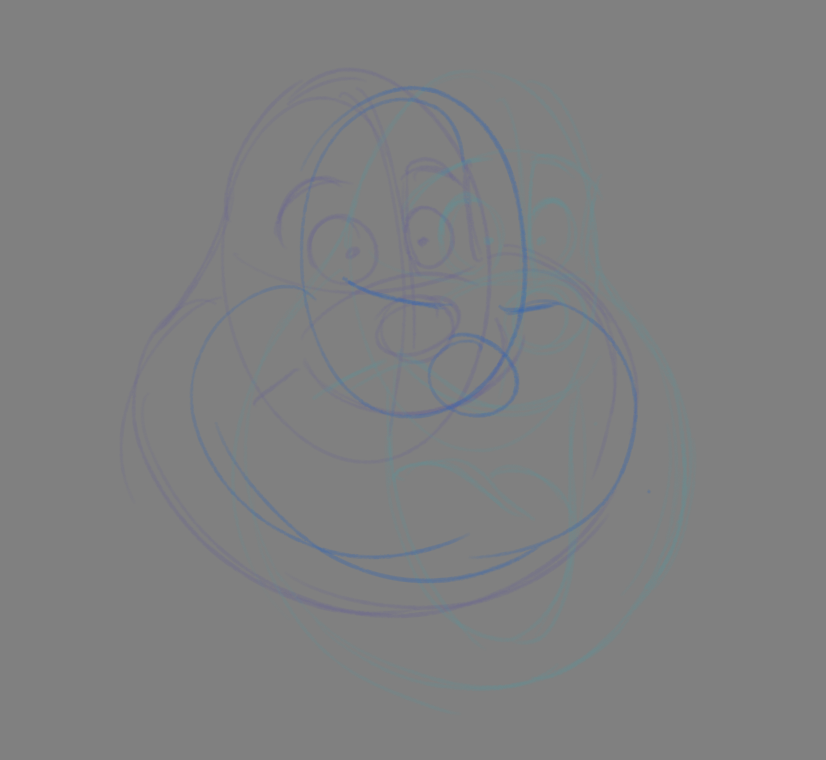
I can't enjoy what I'm doing!.. As I mentioned before, I'm not particularly fond of the blue mode in onionskin.
Anyway, Could you test that blue mode when you activate onionskin on darkgrey BG. It's hard to see anything there.( if I raise line visibitility so all lines look like Neon lights.
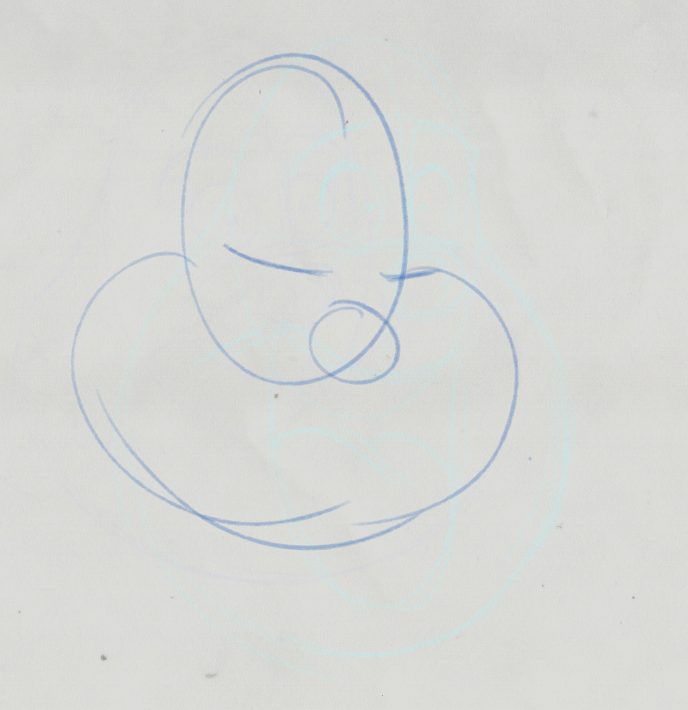
And try to do same thing with a BG layer (which I usually use a scanned white paper). So B.G. layer blocks Backlight.Thanks
Hi
You know I love everything about A.P. but that Backlight!. 🙂
I can't enjoy what I'm doing!.. As I mentioned before, I'm not particularly fond of the blue mode in onionskin.
Anyway, Could you test that blue mode when you activate onionskin on darkgrey BG. It's hard to see anything there.( if I raise line visibitility so all lines look like Neon lights.
And try to do same thing with a BG layer (which I usually use a scanned white paper). So B.G. layer blocks Backlight.
Thanks
Uploaded files:

Quote from Niels on October 23, 2025, 8:34 pmThanks Bahadir.
I see what you mean. It is more or less impossible to see the blue lines that become hue shifted towards green with the onionskin on the dark grey paper.
The questions is - what is the solution?
We could change the dark grey to a lighter or darker value.
We could adjust the blue color, but I don't like that much, because it is quite good in other respects and I doubt it would help much anyway.
We could do an alternative to Hue Shift mode, with a before and after-color like Harmony, TV Paint, etc.
Or something else? Any ideas?But maybe the problem isn't that big, considering we will soon have custom colors instead of only the three fixed colors included now. And also you could potentially just choose one of the other values for the background paper, like White of Light Grey. Do you have a particular reason you want/need the Dark Grey? Still your point is very valid!
I need to test some more regarding having a background loaded as a Reference Layer. Right now my hard drive is full, so I need to fix that first and come back later 😀 Sorry 😀
Thanks Bahadir.
I see what you mean. It is more or less impossible to see the blue lines that become hue shifted towards green with the onionskin on the dark grey paper.
The questions is - what is the solution?
We could change the dark grey to a lighter or darker value.
We could adjust the blue color, but I don't like that much, because it is quite good in other respects and I doubt it would help much anyway.
We could do an alternative to Hue Shift mode, with a before and after-color like Harmony, TV Paint, etc.
Or something else? Any ideas?
But maybe the problem isn't that big, considering we will soon have custom colors instead of only the three fixed colors included now. And also you could potentially just choose one of the other values for the background paper, like White of Light Grey. Do you have a particular reason you want/need the Dark Grey? Still your point is very valid!
I need to test some more regarding having a background loaded as a Reference Layer. Right now my hard drive is full, so I need to fix that first and come back later 😀 Sorry 😀

Quote from jessai on November 11, 2025, 4:58 amHi@niels, I second this option "before and after-color like Harmony, TV Paint, etc".
Like mixing the current hue shift but for custom before and after colors please!
Right now is pretty easy to get confused between the previous and next pose working with in-betweens
Hi@niels, I second this option "before and after-color like Harmony, TV Paint, etc".
Like mixing the current hue shift but for custom before and after colors please!
Right now is pretty easy to get confused between the previous and next pose working with in-betweens