
Questions & Answers
Before asking, please do a search to see if the samequestion has already been asked and answered.

Drawing on duplicate frames

Quote from EinSoft on March 28, 2026, 3:54 amHi Niels,
I'm not sure if this feature has been carried over from the old PAP 4.0 software, and I'll try my best to explain this so bear with me.
So I want to draw on a cloned/duplicated frame and have it act as it's own frame. In PAP 4.0, it has this feature which can be pretty useful at times to save time on re-drawing something that doesn't need to be redrawn and just want to add something in between (sometimes a nuisance when done accidently).
When I draw on a duplicated frame, it still acts as a cloned frame and carries over that drawing to the rest of the duplicates. Is there a way to turn this off? Hopefully the screenshots will give more context.
Also want to add that I've been enjoying this version Animation Paper tremendously and can't wait for its live release.
Hi Niels,
I'm not sure if this feature has been carried over from the old PAP 4.0 software, and I'll try my best to explain this so bear with me.
So I want to draw on a cloned/duplicated frame and have it act as it's own frame. In PAP 4.0, it has this feature which can be pretty useful at times to save time on re-drawing something that doesn't need to be redrawn and just want to add something in between (sometimes a nuisance when done accidently).
When I draw on a duplicated frame, it still acts as a cloned frame and carries over that drawing to the rest of the duplicates. Is there a way to turn this off? Hopefully the screenshots will give more context.
Also want to add that I've been enjoying this version Animation Paper tremendously and can't wait for its live release.
Uploaded files: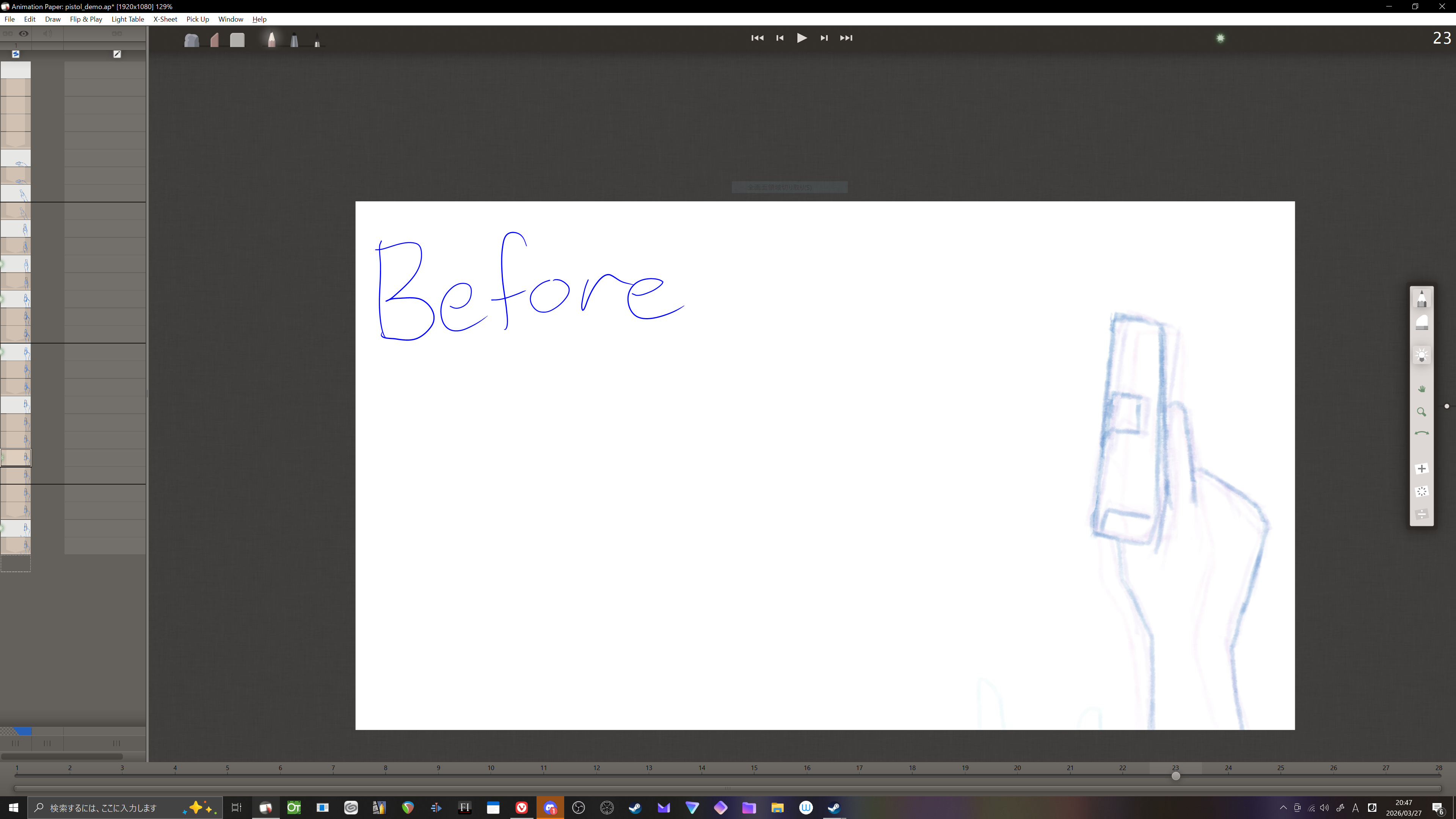
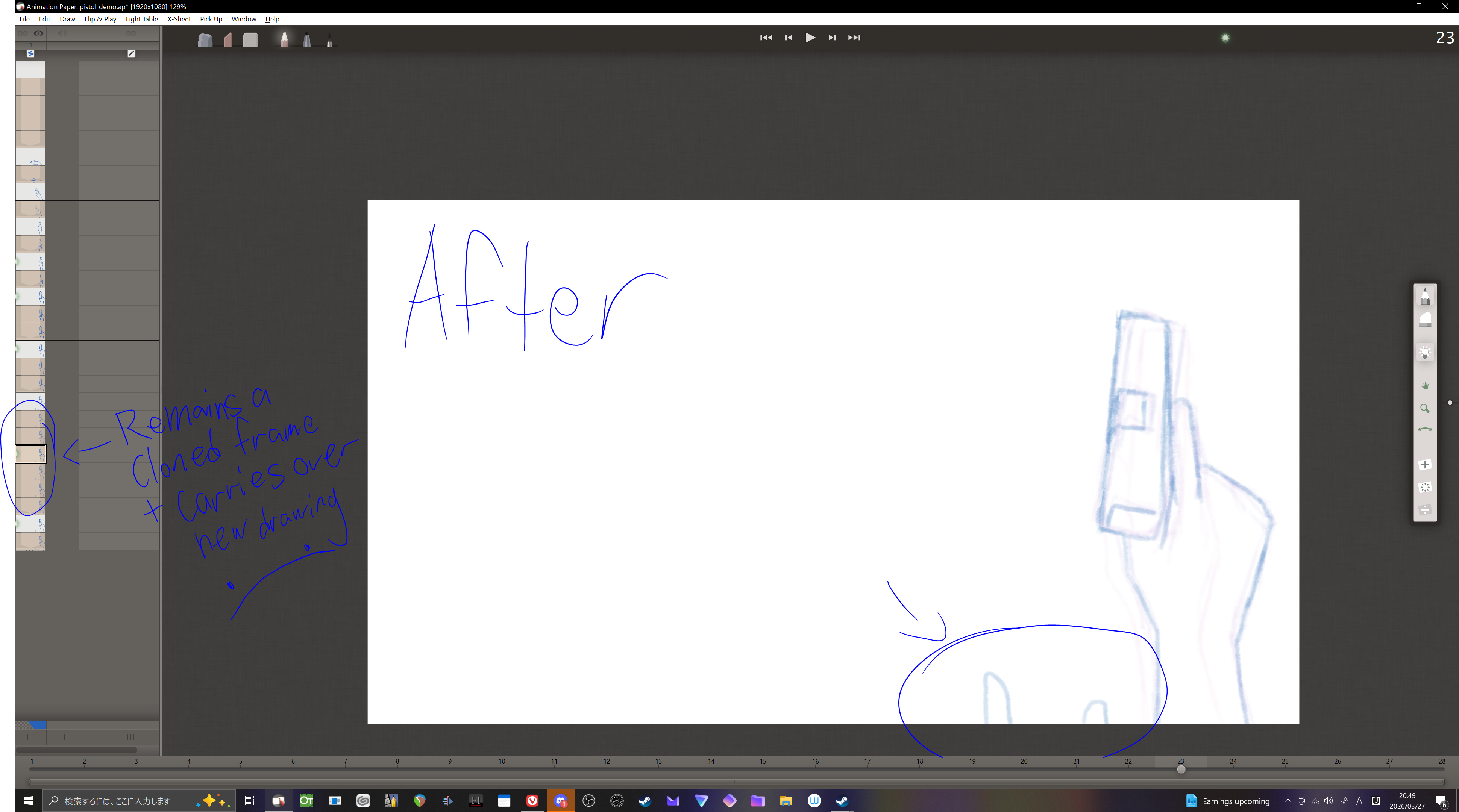

Quote from manimation on March 28, 2026, 5:15 amHi Einsoft,
Press O (as in Original not zero) on the duplicate frame and then continue drawing without changing the previous frame.
Hi Einsoft,
Press O (as in Original not zero) on the duplicate frame and then continue drawing without changing the previous frame.
Quote from manimation on March 28, 2026, 5:21 amYou're most welcome.
Have fun animating. 🙂
PS If you check out the following page it has the keyboard shortcuts listed (Windows and Linux; Mac is on a different page):
https://animationpaper.com/help/keyboard-shortcuts-for-windows-and-linux/
You're most welcome.
Have fun animating. 🙂
PS If you check out the following page it has the keyboard shortcuts listed (Windows and Linux; Mac is on a different page):

Quote from Niels on March 28, 2026, 8:29 amHi EinSoft,
Yes, what manimation said 🙂 Just hit O. And very good idea to take a look at the shortcut list as manimation recommends.
You asked if creating clones can be turned off. It can't. But instead of adding clones, you could be using Ctrl D (for "Duplicate Drawing as Original"). It does the same as adding a clone, but without the "link". If this is preferable is up to the how you work I guess. I personally would like the O thing better, because you can pick just the one clone drawing you need as an original.
Thanks for your help again, manimation! And thanks for your question and kind words, EinSoft!
Hi EinSoft,
Yes, what manimation said 🙂 Just hit O. And very good idea to take a look at the shortcut list as manimation recommends.
You asked if creating clones can be turned off. It can't. But instead of adding clones, you could be using Ctrl D (for "Duplicate Drawing as Original"). It does the same as adding a clone, but without the "link". If this is preferable is up to the how you work I guess. I personally would like the O thing better, because you can pick just the one clone drawing you need as an original.
Thanks for your help again, manimation! And thanks for your question and kind words, EinSoft!